For leads of engineering, field and project teams
Know what your team is working on, and when they're free.
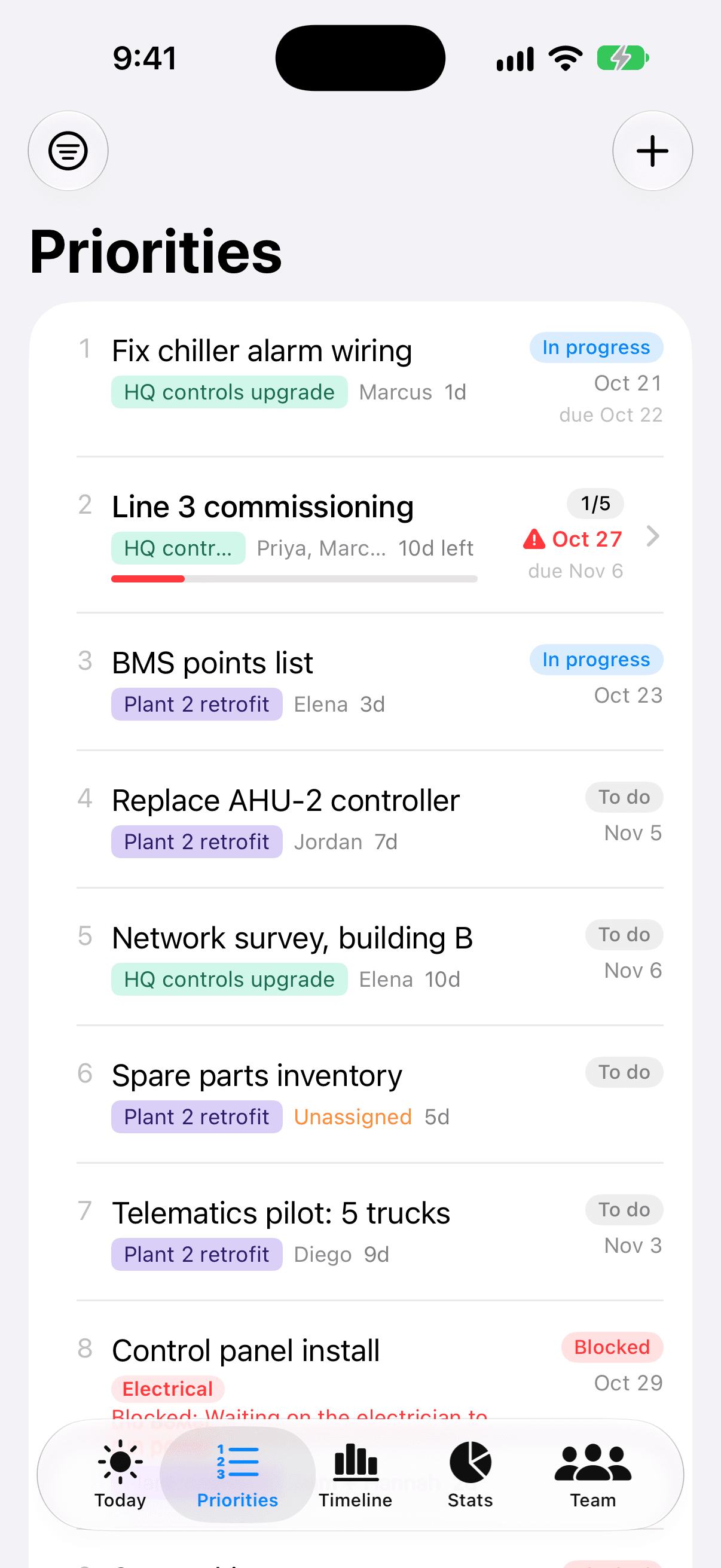
Keep one ranked list of your team's work. Team Priorities turns it into each person's day, real finish dates, and who's available next, based on their actual schedules and time off.
Free for teams of up to 3. No credit card needed.
Here from the App Store?
This is the same app in your browser. Sign in with the email you use in the iPhone app and your plan is right here on any computer, including Windows, kept in sync.
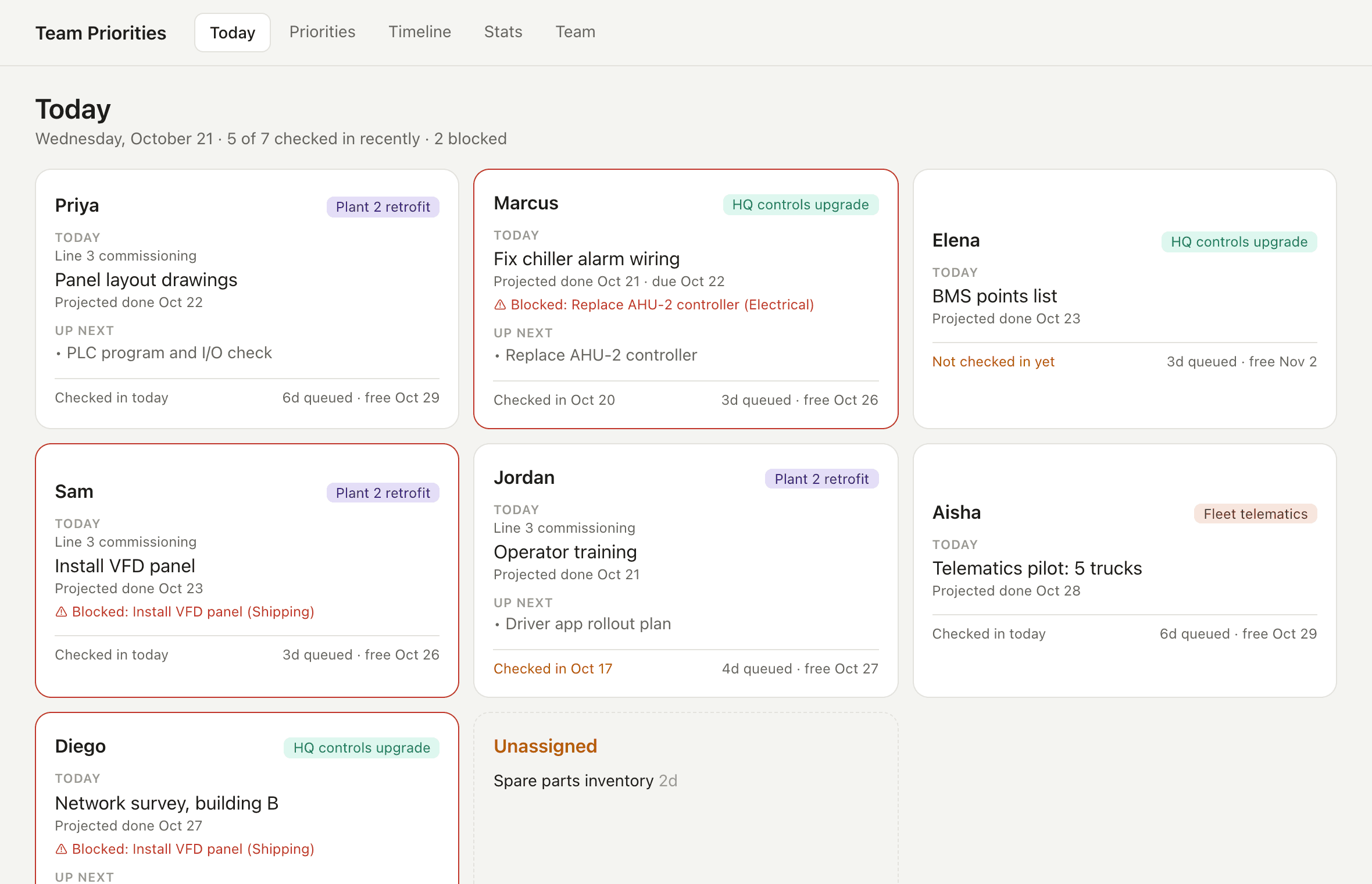
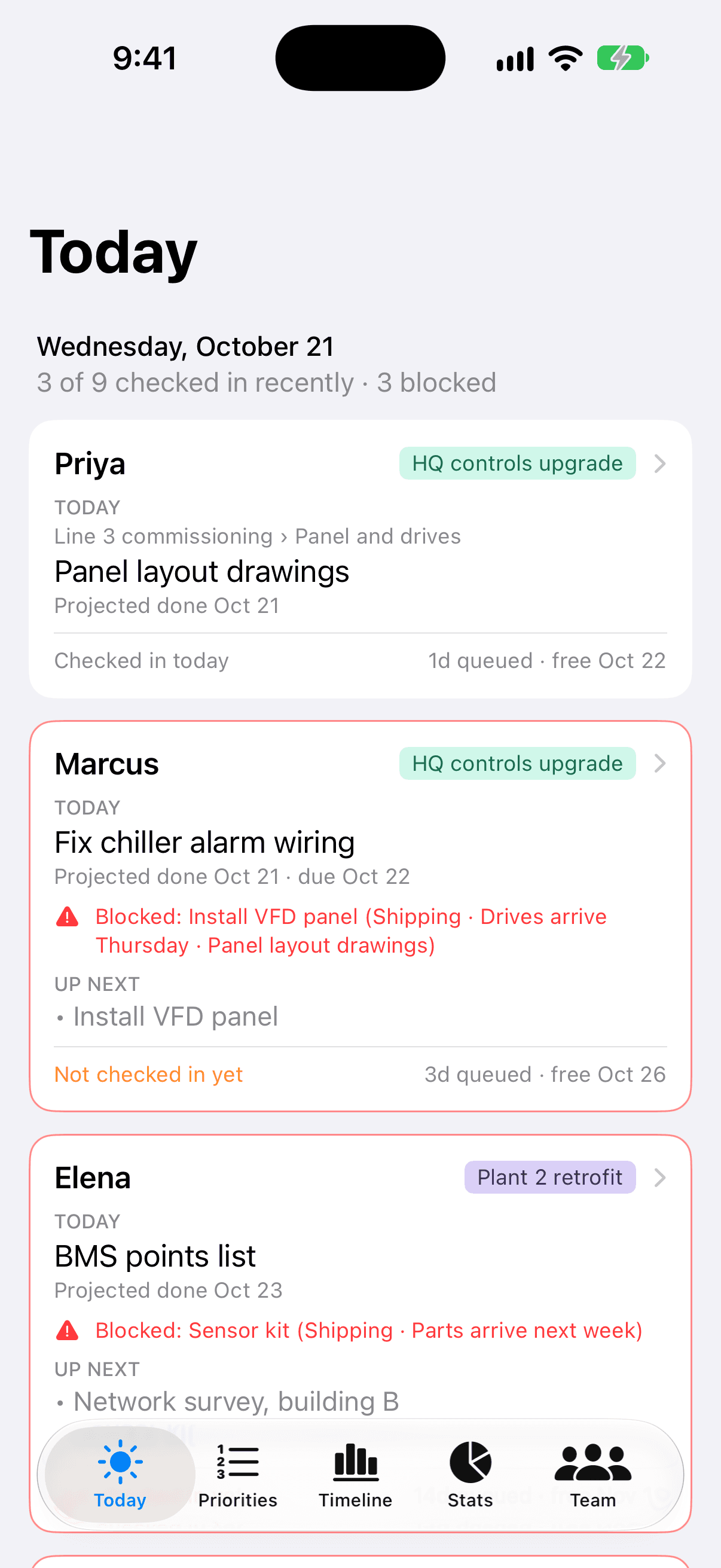
Run your morning check-in from your phone
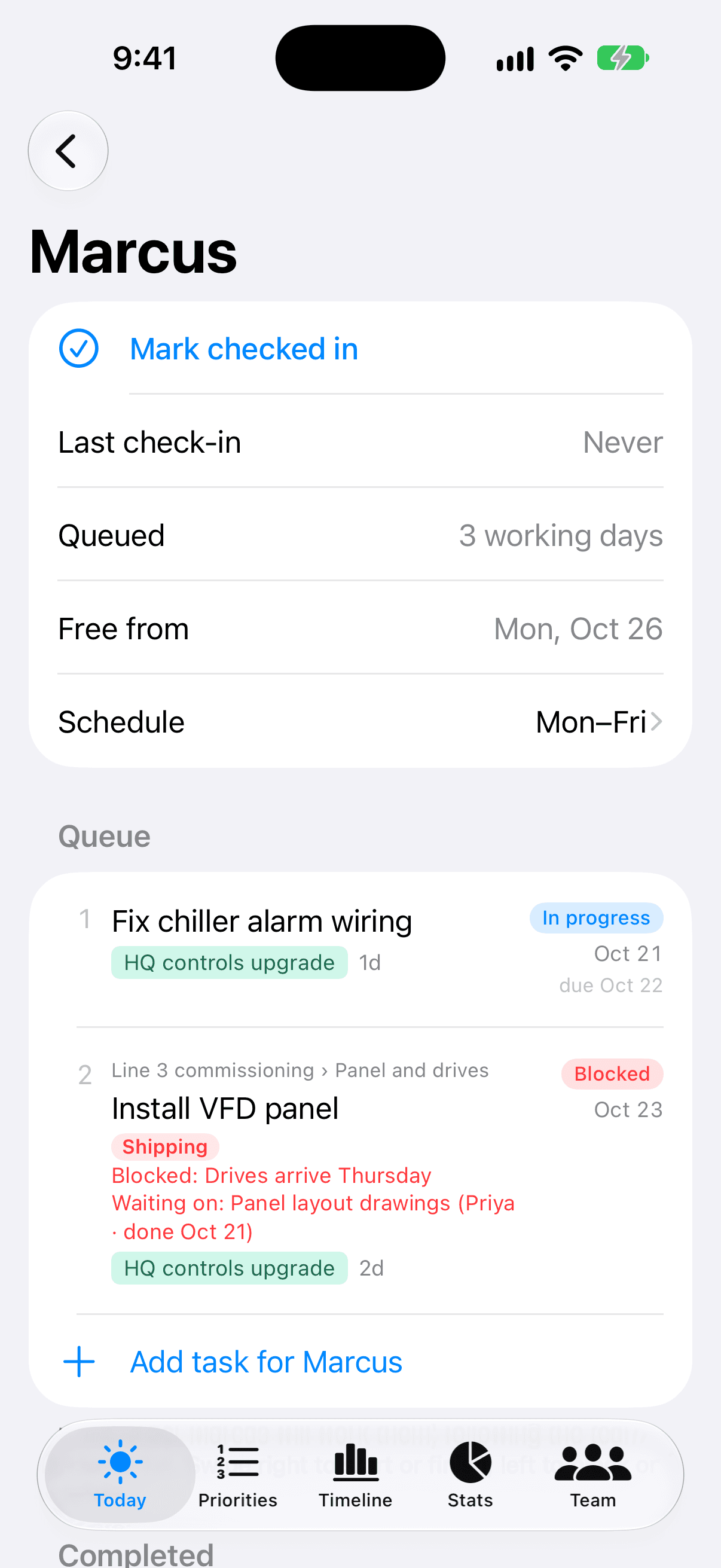
Each person's card shows what they're on today, what's up next, what's blocking them, and when they're free. Tap someone to update their work as you talk, then mark them checked in. It works offline, too.
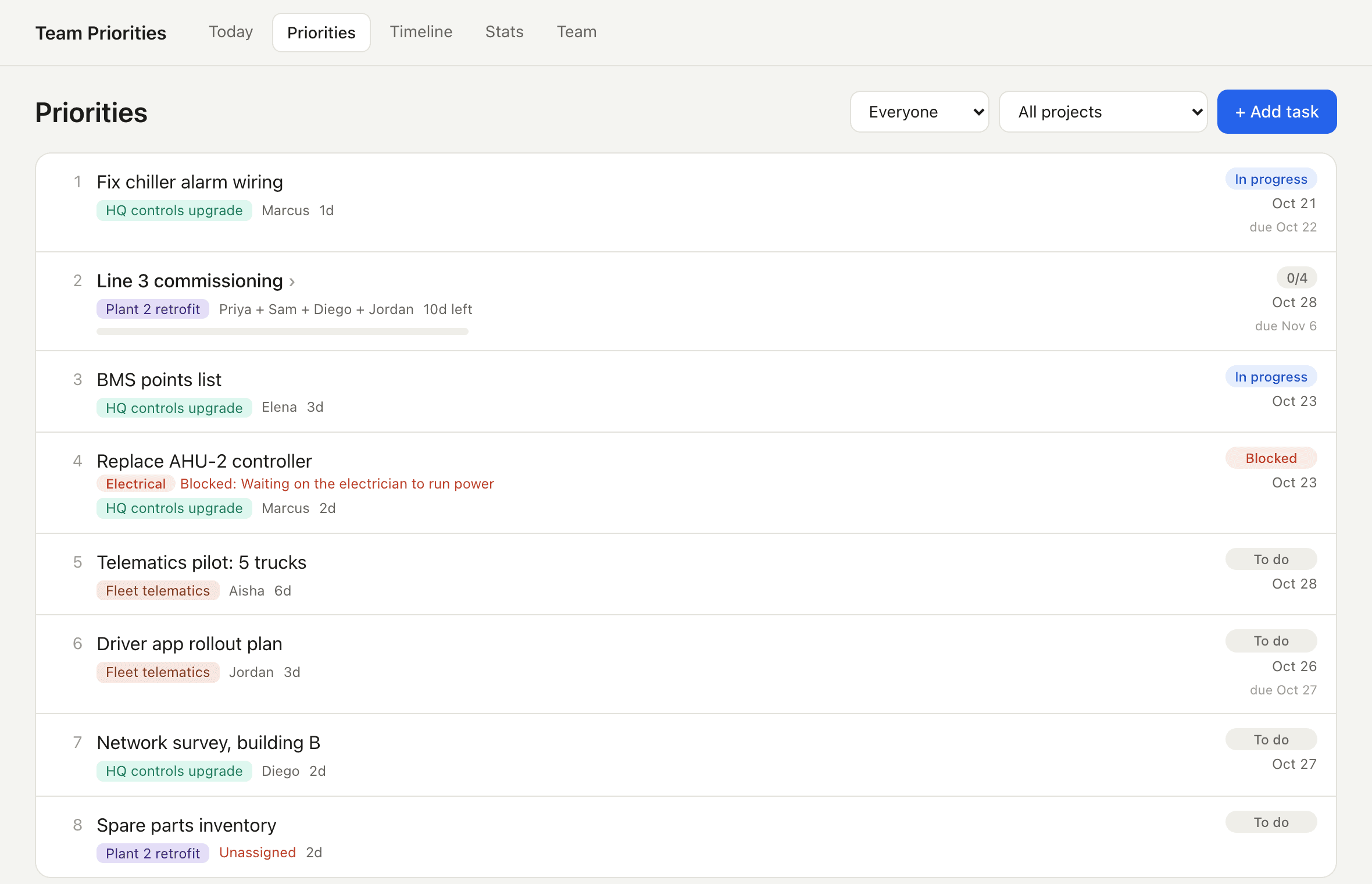
One priority list. Real finish dates.
Drag the team's work into order. Everyone's queue, start and finish dates follow automatically, and anything projected to miss its due date turns red, so you see the problem before the deadline.
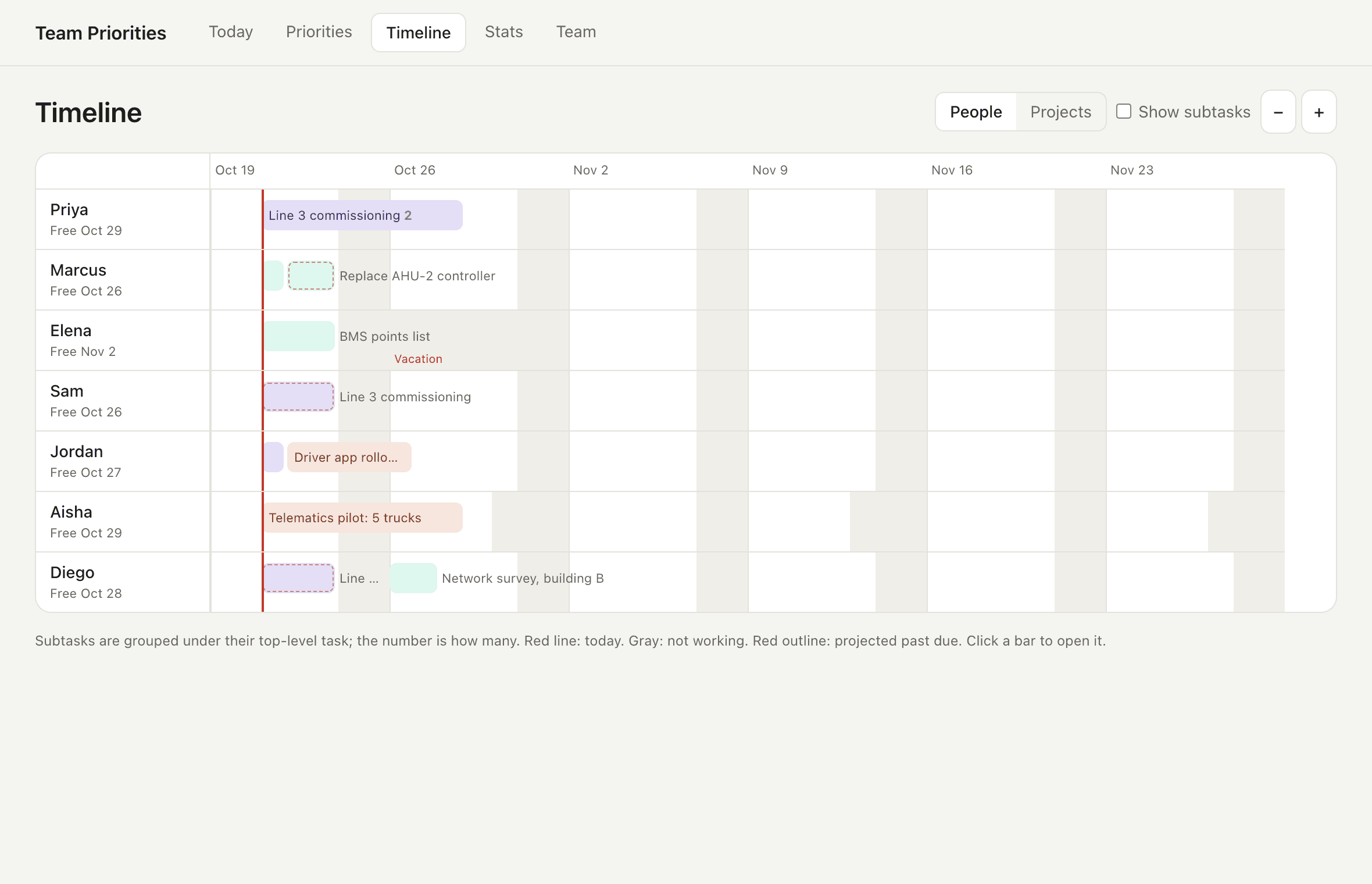
See who's actually free, and when
Working days, rotating weeks, half days and vacations are built in. The timeline shows who's booked when, and every 'free from' date reflects when someone can really start new work.
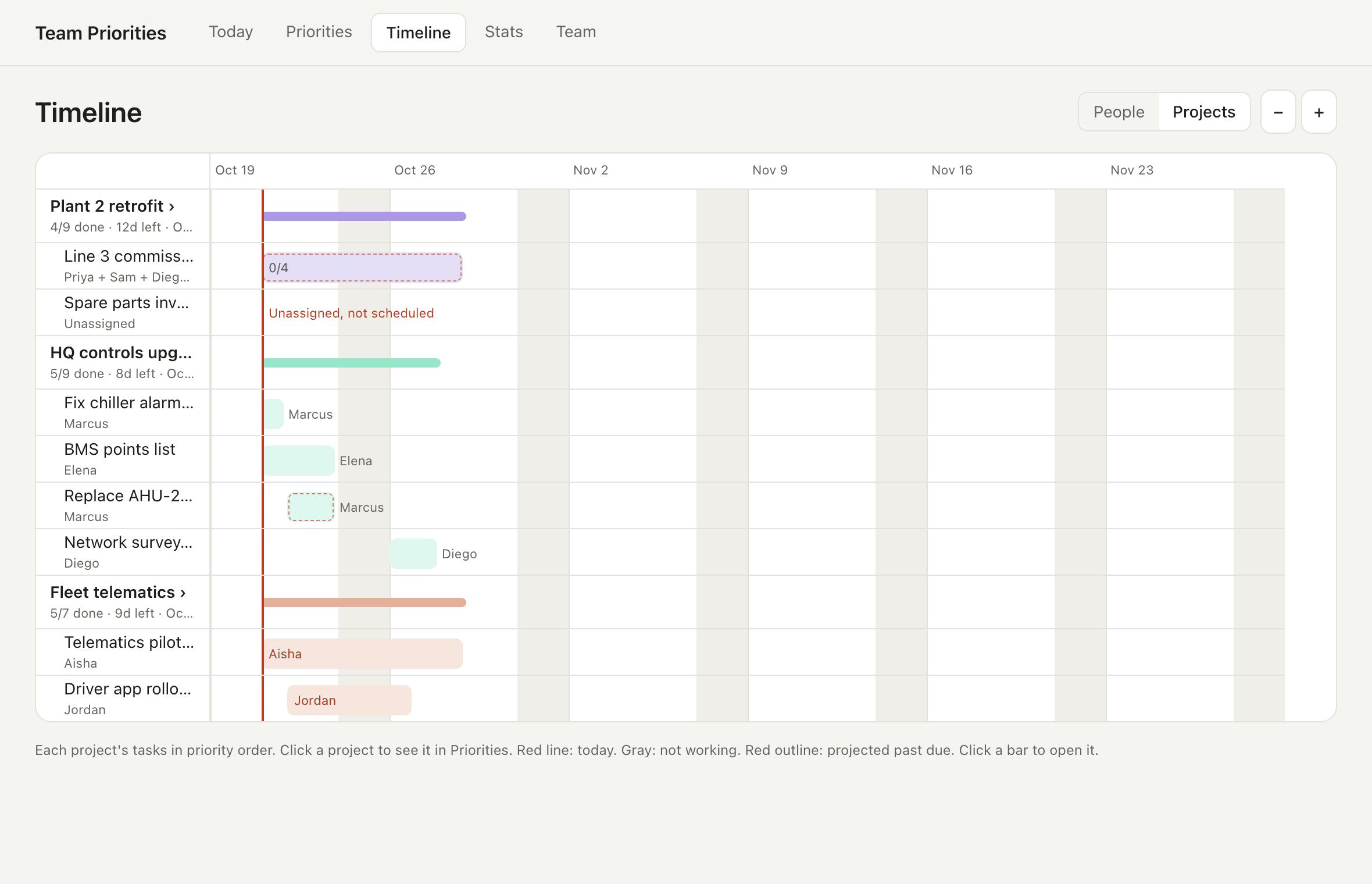
Every project at a glance
Switch the timeline to projects to see how each one is tracking, what's left, who's on it, and when it lands. Break deliverables into subtasks at any depth and put more than one person on a task.
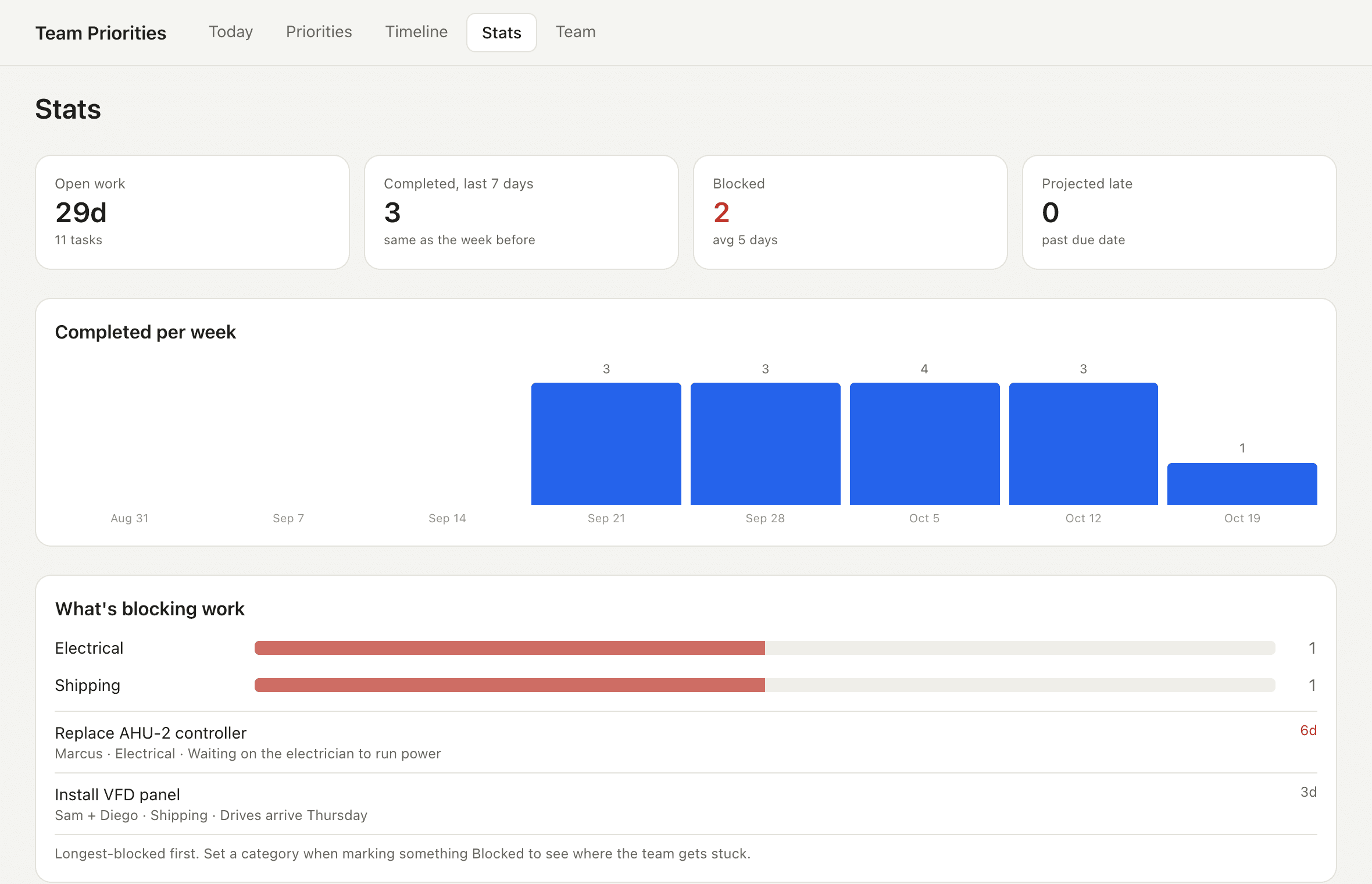
Know what's holding the team up
Mark what a task is waiting on: a reason, a category like Electrical or Shipping, or another task. It unblocks itself when that work is done, and Stats shows where the team gets stuck most.
Everything a team lead needs, nothing they don't
Subtasks, any depth
Progress and dates roll up from the work underneath.
Shared tasks
Pair people up; it starts when everyone's free.
Schedules and time off
4-day weeks, rotations, half days, vacations.
Photos on tasks
Snap the site or the part. Location data is stripped.
Undo and recently deleted
Tap Undo, or restore anything for 30 days.
iPhone and any browser
Including Windows. Changes sync in seconds.
Simple pricing
Free
$0
- ✓ Up to 3 people
- ✓ Priority list, Today and check-ins
- ✓ Schedules and time off
- ✓ iPhone and web
Pro
$9.99/month
or $59.99/year (save 50%) · 14-day free trial
- ✓ Unlimited people
- ✓ Timeline by person and project
- ✓ Stats and blocker reports
- ✓ Photos on tasks
Built to pass IT review
US-hosted. Encrypted in transit and at rest. Each account isolated by the database itself. Daily backups. No integrations with company systems, no tracking, and account deletion in the app.
Questions
Do my team members need accounts?+
No. Team Priorities is for the person who plans the work. Your team doesn't need to install or sign up for anything.
I downloaded the iPhone app. What's this website for?+
It's the same app in your browser, handy on a work computer. Sign in with the same email you use in the iPhone app and your plan is here, kept in sync.
Does it work on Windows?+
Yes. The web version runs in any modern browser, including on Windows. The phone app is for iPhone.
Does the iPhone app need an account?+
No. Everything works on your phone without one. Sign in only if you want sync with the web, photos, or a backup.
How is my data protected?+
Encrypted in transit and at rest, isolated per account by the database itself, backed up daily, and deletable from the app at any time. Details for IT are on the Security & IT page.
Can I cancel anytime?+
Yes. Subscriptions are managed in your Apple account settings, and the free plan keeps working.